

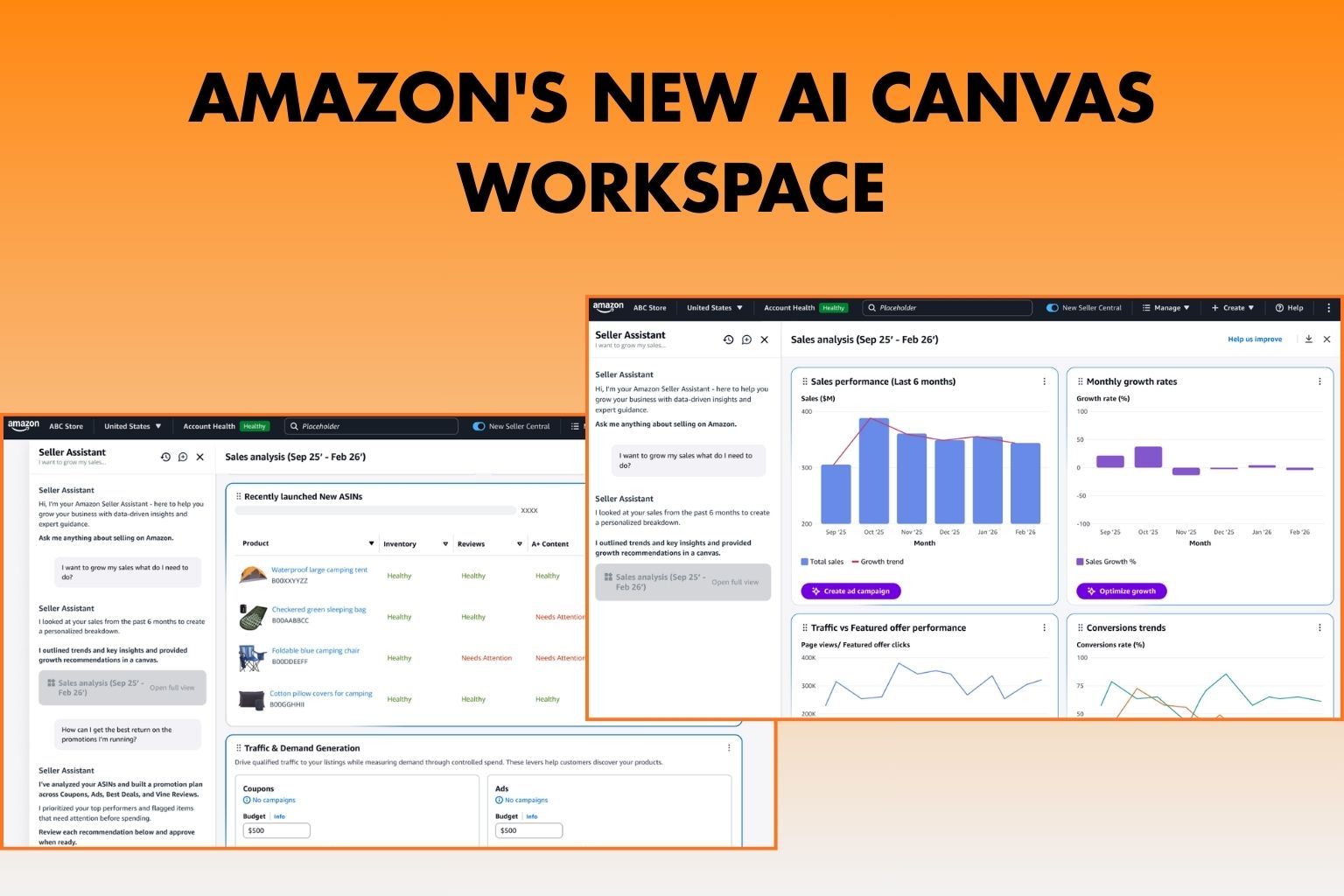
Amazon Introduces AI Canvas Workspace for Sellers
Amazon has introduced a new AI-powered Canvas workspace inside Seller Central designed to help sellers analyze their business data and make smarter decisions.
The new workspace allows sellers to explore performance data visually and ask questions using natural language. The AI then generates insights, charts, and recommendations based on store data.
Key Features
AI-Powered Analysis
Sellers can ask questions such as:
- What products are performing best?
- What promotions should I run?
- Which inventory items need attention?
The AI assistant analyzes store data and provides actionable insights.
- Interactive Data Visualization: The canvas workspace dynamically generates charts and performance visuals for sales, inventory, and operational metrics.
- Guided Decision Support: The system helps sellers evaluate trends, identify opportunities, and make data-driven business decisions.
- Continuous Exploration: Users can ask follow-up questions, explore different metrics, and build deeper analysis without switching between multiple reports.
Where to Access It
The feature is available in the New Seller Central interface.
Sellers can access it through the “Access Canvases” option in the left sidebar.
What This Means for Sellers
This update signals Amazon’s move toward AI-assisted business management within Seller Central. By simplifying data analysis and insights, the platform aims to help sellers optimize operations and make faster strategic decisions.
If you want to turn insights into real results, our AI-Powered Amazon Account Management helps Amazon sellers optimize operations, advertising, and growth strategies using data-driven expertise.
Source:
https://sellercentral.amazon.com/seller-forums/discussions/t/3dc43e2f-f2b3-4efb-ace8-da7a517e41ee