
Running an Amazon store can quickly become overwhelming as your business grows and you start juggling tasks like managing inventory, handling customer service, and keeping up with Amazon’s policies. That is why automation has become one of the most powerful tools for modern Amazon sellers.
Automation is not about removing yourself entirely from your business. Instead, it is about building systems that handle repetitive, time-consuming tasks so you can focus on strategy, growth, and long-term profitability. When done correctly, automation helps you scale without burning out or sacrificing customer experience.
This guide walks you through what Amazon automation really means, what you can automate, what tools and processes are involved, and how to approach automation the right way. Whether you are just getting started or already selling on Amazon, the information here will help you make decisions that support sustainable success.
What Amazon Store Automation Really Means
Amazon automation refers to using software, systems, and delegated processes to manage daily operational tasks in your store. These tasks can include:
- Inventory management
- Order fulfillment
- Pricing updates
- Customer messaging
- Advertising optimization
- Performance tracking
- Risk management
Many sellers exploring how to automate selling on Amazon assume it is a single tool or shortcut. In reality, automation is a layered approach that combines Amazon’s built-in features, third-party software, and clearly defined workflows.
Why Automation Matters For Long-Term Amazon Success
As your Amazon store grows, complexity grows with it. Manual processes that worked when you had ten products may completely break down when you have hundreds. Setting up automated processes with the right tools will help you stay competitive and profitable at scale.
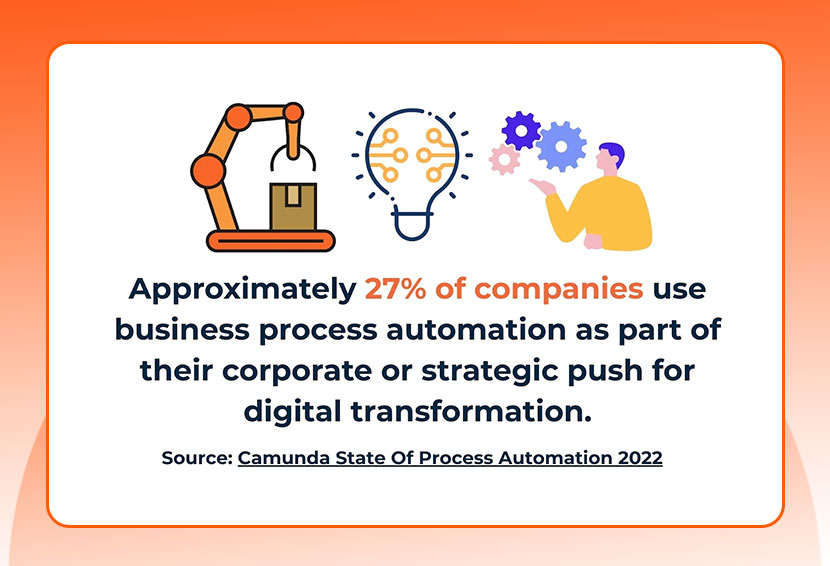
Source: Camunda State Of Process Automation 2022
Here are the main reasons automation is essential:
- Time efficiency: You spend less time on repetitive tasks and more time on growth.
- Scalability: Systems allow you to grow without adding unnecessary labor.
- Consistency: Automated processes reduce mistakes and delays.
- Data-driven decisions: Automation tools provide real-time insights.
- Improved customer experience: Faster responses and smoother fulfillment build trust.
In competitive categories, sellers who rely entirely on manual processes often struggle to keep up. An automated Amazon business creates a more resilient and future-proof operation.
Core Areas You Can Automate In Your Amazon Store
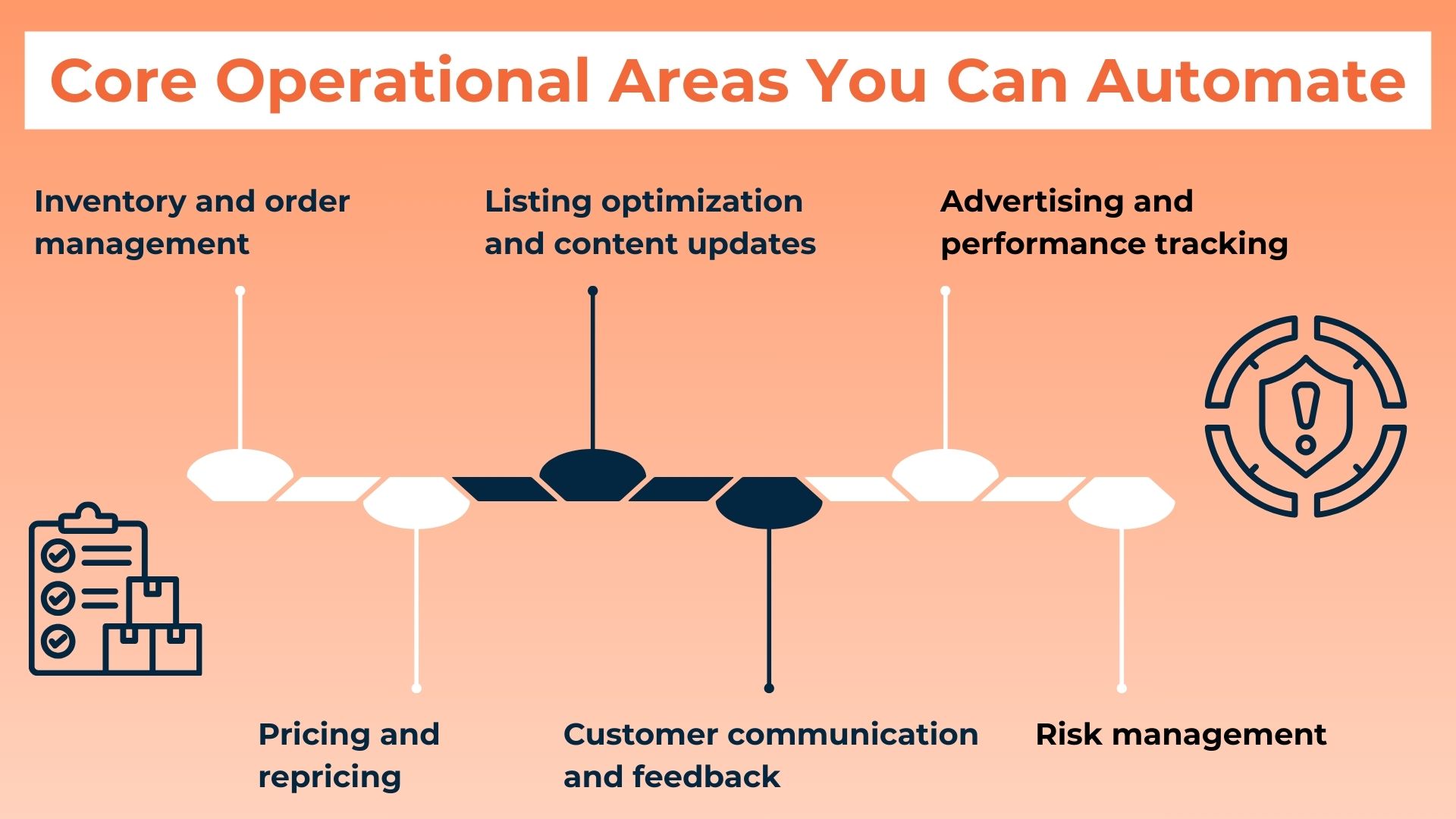
Not every part of your business should be automated at once. The most effective approach is to start with high-impact areas that save time and reduce risk. Consider these key operational aspects as strong candidates for automation:
1. Inventory And Order Management
Inventory automation tools help you maintain accurate stock levels by tracking real-time sales, inbound shipments, and available units across your catalog. These systems use historical data and sales velocity to forecast demand, helping you plan reorders more effectively and avoid common issues like overselling, unexpected stockouts, or excess inventory that leads to higher storage fees.
When paired with Fulfillment by Amazon (FBA), much of the order processing, shipping, and customer-facing logistics becomes hands-off. Automation ensures inventory is replenished at the right time, listings remain active, and products stay eligible for Prime delivery.
2. Pricing And Repricing
Automated repricing tools help you stay competitive by adjusting your prices based on real-time marketplace conditions. Instead of manually checking competitor listings throughout the day, the system monitors changes for you and updates your pricing according to rules you set, such as:
- Targeting the Buy Box
- Matching specific competitors
- Maintaining a minimum profit margin
This is especially important in fast-moving categories where prices shift frequently, and small changes can impact conversions.
3. Listing Optimization And Content Updates
While product research, positioning, and branding still require human judgment, certain parts of listing maintenance can be automated to keep your catalog healthy and competitive.
Monitoring tools can track keyword rankings, watch for shifts in search volume, and alert you when a listing starts losing visibility. Some tools also detect changes to competitor listings, such as new images, updated titles, or pricing shifts. This helps you respond faster when the market moves.
Automation also helps you manage routine content improvements at scale. Instead of manually reviewing every listing, you can use reports and alerts to identify which products need attention, then prioritize updates to titles, bullet points, images, and backend search terms based on data. This keeps your listings optimized over time without constant manual checking, which is especially useful when you manage a larger catalog.
4. Customer Communication And Feedback
Amazon allows limited customer communication, but you can still improve speed and consistency with simple systems like saved templates, clear internal response rules, and a routine for checking messages at set times each day.
With approved workflows, you can send timely order-related updates (when applicable) and respond to common questions in a consistent tone, which helps reduce confusion and prevents small issues from turning into complaints.
Where automation can add even more value is on the feedback side, especially with review monitoring and analysis. Tools like TraceFuse focus on spotting and helping you address harmful reviews that may violate Amazon policies, so you can protect your product reputation and identify recurring customer pain points faster.
5. Advertising And Performance Tracking
Amazon PPC (pay-per-click) advertising can drive growth fast, but it also requires constant attention if you manage it manually. Automation tools can help by adjusting bids based on performance, pausing underperforming keywords, and scaling campaigns that are meeting your targets. Instead of reacting late to wasted spend, you can apply consistent rules that protect budget efficiency while keeping your ads competitive.
Automation also improves visibility through reporting dashboards and real-time alerts. Rather than logging into multiple reports each day, you can monitor key performance indicators in one place, such as:
- ACOS (Advertising Cost of Sales, a.k.a. the percentage of ad spend compared to sales generated directly from ads)
- TACOS (Total Advertising Cost of Sales, a.k.a. your ad spend as a percentage of overall revenue, including paid and organic sales)
- Conversion rate
- Ad-driven sales
This makes it easier to spot trends early, catch sudden changes in spend or sales, and make smarter decisions without getting buried in data.
6. Risk Management
Automation should do more than improve efficiency. When implemented correctly, it strengthens your ability to manage risk across your Amazon store by helping you identify problems early, giving you time to respond before performance, revenue, or account health is affected.
For example, automated monitoring can notify you if a listing becomes suppressed, a variation breaks, or a critical attribute is removed. Early warnings around rising return rates, negative feedback, or performance metrics can also help you investigate root causes and make adjustments proactively.
Understanding Automated Amazon Business Models
Many people think of an automated business as one that has very little daily hands-on managing. In practice, there are actually different levels of automation:
- Partial automation: You automate specific tasks but remain involved daily.
- Operational automation: Most processes are system-driven, with regular oversight.
- Managed automation: A team or agency handles operations under your direction.
No matter the model, a successful Amazon automated business requires transparency, clear goals, and ongoing review. Blindly handing over control without understanding the fundamentals can lead to poor results.
Tools And Systems That Support Amazon Automation
Automation is built on the right technology stack. While specific tools vary based on your business model, most sellers rely on a combination of the following:
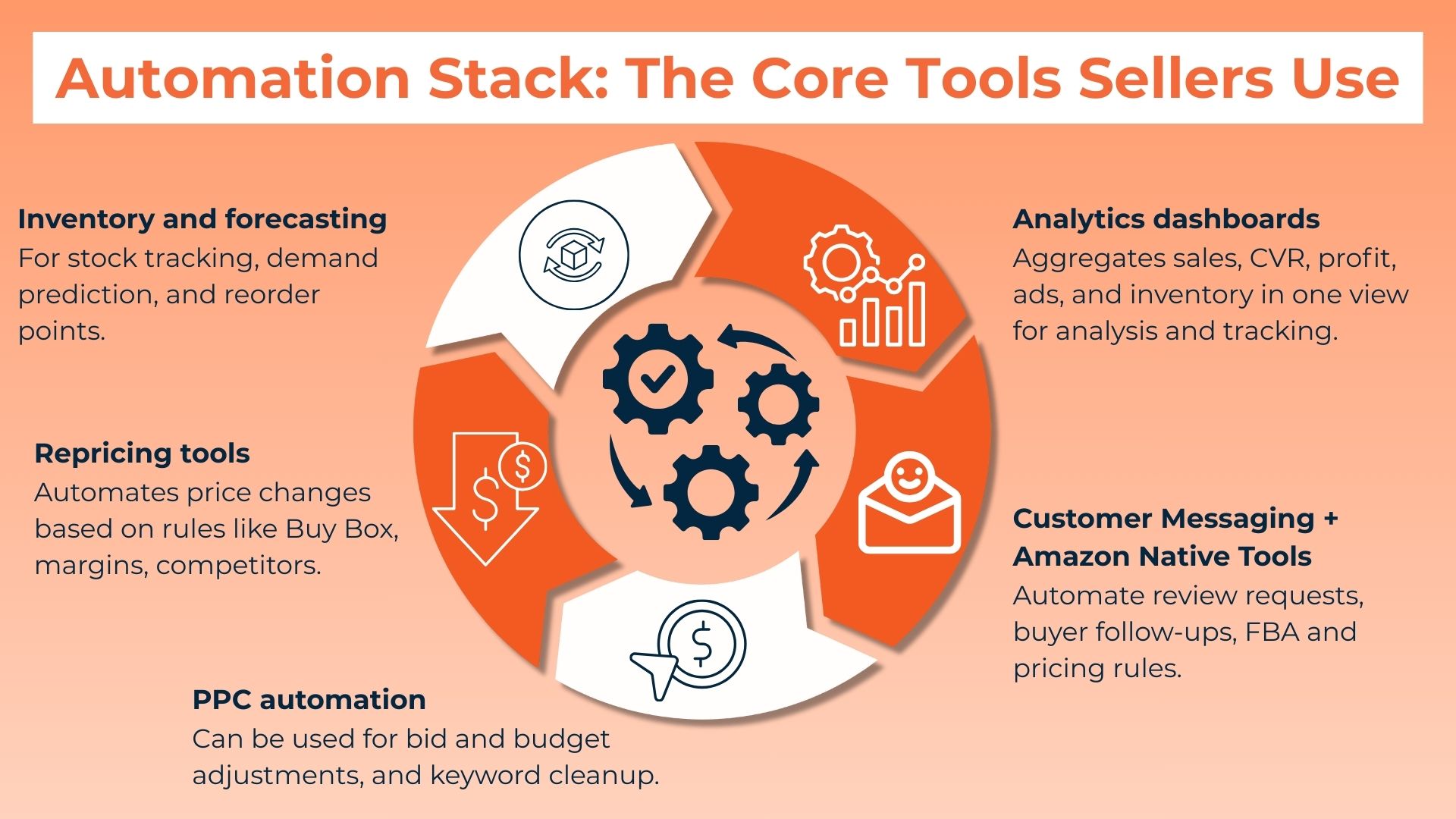
- Inventory and forecasting software: These tools help you track stock levels in real time, predict demand based on sales velocity and seasonality, and set smarter reorder points. This reduces stockouts, prevents overbuying, and protects cash flow.
- Repricing tools: These can automatically adjust prices using rules you set, such as staying competitive, protecting margins, or improving Buy Box eligibility.
- PPC automation platforms: These performance data to optimize bids, shift budget toward winning keywords, and pause wasteful targets before spend gets out of control.
- Analytics and reporting dashboards: These consolidate key metrics like sales, conversion rate, profit, ad performance, and inventory health into a single view. This makes it easier to spot trends early, identify problems quickly, and make faster decisions without digging through multiple reports.
- Customer messaging tools: Amazon itself also provides automation through features like FBA, automated pricing rules, and business reports. These native tools are often the best place to start before adding third-party solutions.
If you are exploring how to start an automated Amazon store, focus on tools that integrate well with Amazon Seller Central and provide clear data you can act on.
How To Start Automating Without Losing Control
One of the biggest mistakes sellers make is trying to automate everything at once. Automation works best when it is intentional and incremental.
Here is a practical framework you can follow:
- Document your current processes: Understand what you are already doing manually.
- Identify bottlenecks: Focus on tasks that consume the most time or cause errors.
- Set clear rules: Automation only works well when the rules are well defined.
- Test before scaling: Start with one product or category.
- Monitor performance: Automation still needs oversight and adjustment.
Remember that strong fundamentals come first, especially when you’re trying different tools and workflow changes for the first time. Product selection, compliance, and customer experience cannot be fully automated away.
Common Myths About Amazon Automation
Automation is often misunderstood, especially in online marketing. Clearing up these myths can help you set realistic expectations.
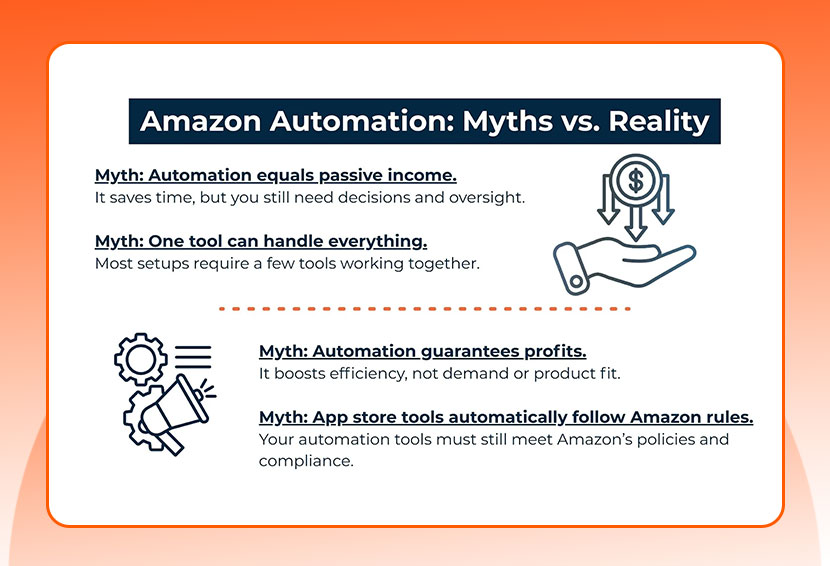
- Automation means passive income: Automation reduces workload, but strategy and oversight are still required.
- One tool does everything: Effective automation usually involves multiple systems working together.
- Automation guarantees profits: Automation improves efficiency, not product-market fit or demand.
- You can ignore Amazon policies as long as you can download the tool from a trusted source like Google Play or the Apple App Store: Amazon has its own compliance requirements, and automated systems must still follow its rules and best practices.
Understanding these realities helps you build automation that supports, rather than replaces, smart decision-making.
Conclusion
Automation is not a shortcut to success, but it is a powerful multiplier when paired with strong fundamentals. By automating the right tasks, you protect your time, improve consistency, and create space to focus on strategy and growth.
View automation as an evolving system. They test, refine, and adapt as the marketplace changes. When you approach automation thoughtfully, it becomes one of the most valuable assets in your e-commerce business. By building smart systems today, you position your Amazon store for sustainable success tomorrow.