
Too busy to read? Listen to this article instead.
Most people hear “cold email” and think spam. That’s a fair assumption if you’ve ever received a generic pitch from someone who clearly knows nothing about you or your business.
But cold email is not spam. When done right, it’s one of the most effective ways to reach potential clients in B2B. The problem is that most people skip the basics and wonder why nobody replies. This guide walks you through everything from what cold emailing actually is to how to set up your first campaign properly.
What Is a Cold Email?
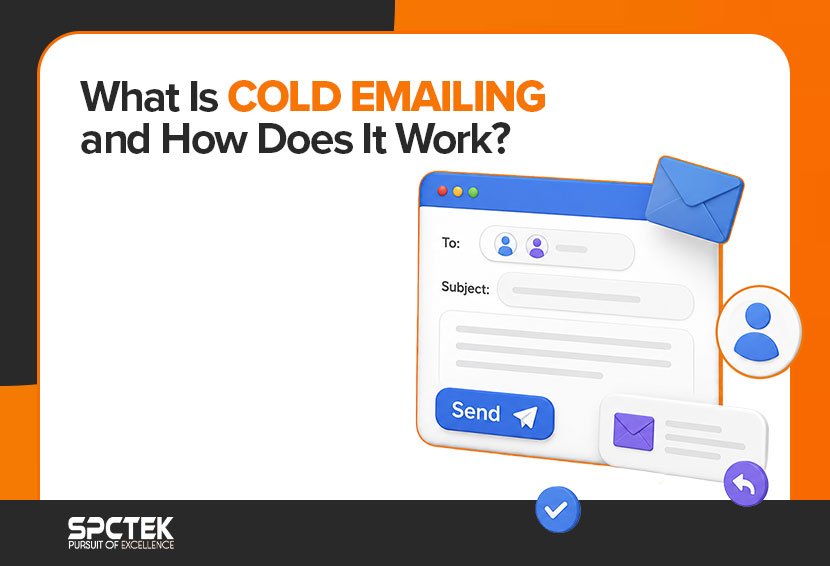
A cold email is an unsolicited email you send to someone you’ve never spoken to before. You’re reaching out with a specific goal, usually to start a conversation, book a meeting, or explore a potential partnership.
The key difference between cold email and spam is intent and targeting. Spam is a mass blast sent to random people with zero personalization. Cold email is targeted, relevant, and sent to people who genuinely could benefit from what you’re offering.
There’s also a legal side to this. In the US, cold emails fall under the CAN-SPAM Act, which requires you to include your business address, a clear way to opt out, and no deceptive subject lines. In Europe, GDPR adds more layers. The short version is that cold email is legal as long as you give recipients a way to opt out and you don’t mislead them.
If you want to understand how email fits into a broader sales strategy, this breakdown of email marketing for sales is worth reading.
Can you explain the key differences between cold emailing and other outreach methods?
A lot of people debate whether cold email, cold calling, or LinkedIn outreach is better. The honest answer is that they work differently and scale differently.
Cold calling is personal and direct, but it doesn’t scale well. A rep can handle roughly 6 to 9 calls per hour, and about 60% of those calls go to voicemail. Cold email, on the other hand, lets you send 80 to 120 personalized emails per hour once your setup is in place.
LinkedIn is great for personalization and gets strong reply rates, but it caps your volume. You can only send so many connection requests and messages per week before LinkedIn flags your account.
In 2026, the strongest approach is combining all three. Email first to warm up the prospect, then a LinkedIn touchpoint, then a call if needed.
How to Send a Cold Email: Start to Finish
Most beginners jump straight to writing their email. That’s actually the last thing you should do. Start by buying a separate domain, never your main one. Set up SPF, DKIM, and DMARC on it right away. Warm it up over 2 to 4 weeks before sending anything real. Build a verified lead list to keep your bounce rate low. Write a short, personalized email with one clear ask. Add follow-ups to your sequence. And track reply rate, not open rate, open rate is unreliable since Apple’s Mail Privacy Protection came in.
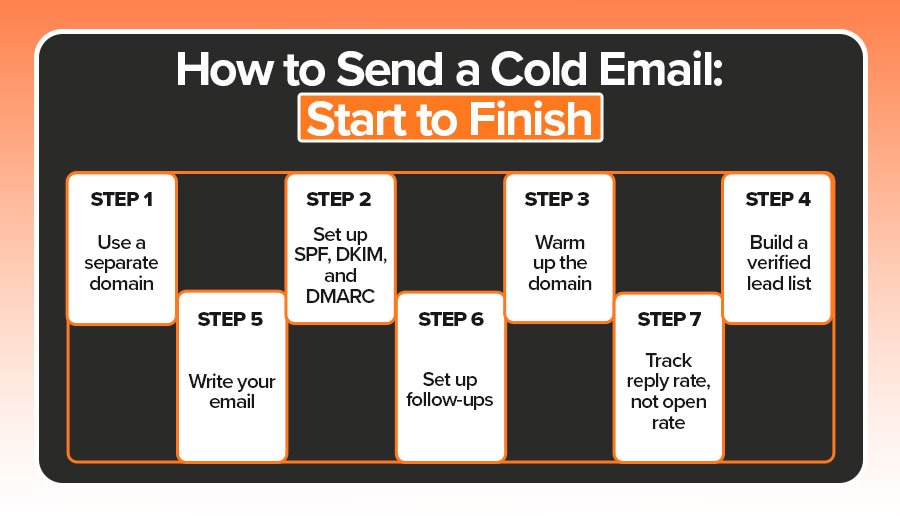
- Step 1: Use a separate domain: Never send cold emails from your main business domain. One spam complaint can damage your primary domain’s reputation and land all your regular emails in spam folders, too.
- Step 2: Set up SPF, DKIM, and DMARC: These are authentication protocols that tell email providers your emails are legitimate. Since 2024, Google, Yahoo, and Microsoft require these for bulk senders. Skip them, and your emails won’t reach inboxes.
- Step 3: Warm up the domain: A brand-new domain has no sending reputation. You need to build it gradually by starting with low volumes and increasing slowly over 2 to 4 weeks. Keep sending under 40 to 50 per day during this phase.
- Step 4: Build a verified lead list: Unverified lists cause bounces. High bounce rates kill your deliverability fast. Use a tool to verify every email before you send.
- Step 5: Write your email (covered below).
- Step 6: Set up follow-ups: Most replies don’t come from your first email. More on this below.
- Step 7: Track reply rate, not open rate: Apple’s Mail Privacy Protection has inflated open rates since 2021, making the metric unreliable. Reply rate tells you what’s actually working.
How Do I Choose the Best Domain for My Cold Email Campaign?
This is a step most beginner guides completely skip, and it costs people a lot. Buy a domain that looks similar to your main one. If your brand is acmecorp.com, you could use acmecorp-mail.com or getacmecorp.com. Set up Google Workspace or Microsoft 365 on that domain so it behaves like a professional email account.
Then set up SPF, DKIM, and DMARC before sending a single email. SPF tells mail servers which IPs are allowed to send from your domain. DKIM adds a digital signature to verify your emails aren’t tampered with. DMARC tells servers what to do if an email fails those checks. All three are now required, not optional.
After that, warm the domain up. Give it 3 to 4 weeks before running any real campaigns.
How to Personalize Cold Emails to Get More Replies
Generic emails get ignored. Personalized emails get 133% more replies than non-personalized ones. But personalization doesn’t mean using someone’s first name. That’s the bare minimum, and everyone does it. Real personalization means referencing something specific to that person. A recent job posting, a LinkedIn post they wrote, a funding round their company just closed, or a challenge that’s specific to their industry.
A simple formula that works is specific observation about them, then a relevant connection to what you do, then a clear and low-pressure ask. The best cold emails read as if a real person wrote them for one specific recipient. If your email looks like it could have been sent to 500 people, it probably will be ignored.
What Are the Best Cold Email Subject Lines and Templates?
Your subject line decides whether your email gets opened. Emails with personalized subject lines get a 46% open rate compared to 35% for generic ones.
A few patterns that consistently work:
- Question-based: “Question about [specific thing].”
- Observation-based: “Saw your post on [topic].”
- Ultra-short: 3 to 5 words outperform longer subject lines
Here’s an Example of a Real B2B Cold Email Template
7-Step Cold Email Campaign for Amazon Sellers / eCommerce Store Owners about a $5 Image Editing Service
Email 1 – First Touch
Subject: It’s not your product. It’s your image.
Hey {{firstName}},
Ever feel your product photos don’t show their real quality?
We edit images for Amazon sellers and eCom brands, $5 per image, clean, fast, professional.
Clients often see higher clicks and conversions within a week.
Would you like to see before/after samples?
– {{sendingAccountName}}
PS: loved your recent product line, strong visuals!
Email 2 – Value Reminder
Subject: Main Photo Hurting Sales?.
Hey {{firstName}},
75% of shoppers decide to buy based on images.
That’s why a simple $5 photo edit often means more traffic and better conversion.
We’ve done this for 100+ listings, turnaround in 24 hrs.
Want to see before/after results?
– {{sendingAccountName}}
PS: saw your Amazon page, looks like you’re growing fast!
Email 3 – Subtle Nudge
Subject: Your product images may be costing sales
Hey {{firstName}},
Quick question, do you handle your product photo edits in-house?
Many sellers find it slow or pricey. Our $5 service keeps it simple and on-brand.
Would it make sense to show you a few examples?
– {{sendingAccountName}}
PS: your niche is competitive, small tweaks can mean big gains.
Email 4 – Credibility + Data
Subject: This might be costing you sales {{Store Name}}
Hey {{firstName}},
After improving their photos, one Amazon brand saw +22% conversion in 10 days.
We handled it for $5 per image, no long contracts, just clean edits.
Want to see the same kind of before/after shots?
– {{sendingAccountName}}
PS: happy to send the quick case study if helpful.
Email 5 – Soft Check-in
Subject: Noticed one thing holding back your product visuals
Hey {{firstName}},
I know inboxes get busy. Just wanted to see if clean $5 image edits would be relevant for your listings.
They often help sellers refresh stale product pages fast.
Would you like me to share a few examples?
– {{sendingAccountName}}
PS: your catalog looks awesome, solid variety!
Email 6 – Social Proof
Subject: Better product photos
Hey {{firstName}},
Here’s what one seller said after using our edits:
“I didn’t change my ad copy, just the images, sales jumped 18% in 6 days.”
That’s from a $5-per-image project.
Want to see their before/after set?
– {{sendingAccountName}}
PS: no strings attached, just sharing what works.
Email 7 – Final Nudge / Break-Up
Subject: Noticed one thing holding back your product visuals
Hey {{firstName}},
Haven’t heard back, I’m guessing it’s either:
- not the right time
- not a focus
- or you already have perfect photos 😉
Either way, happy to share a few $5 before/after examples if you’d like.
Worth a quick look?
– {{sendingAccountName}}
PS: We helped a similar brand lift conversions 21% after swapping visuals.
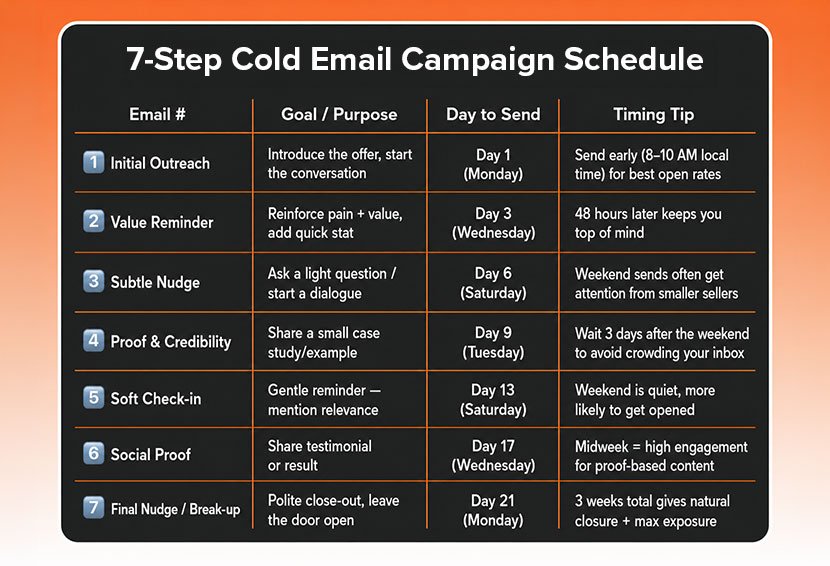
Keep emails between 75 and 125 words. Shorter emails consistently outperform longer ones in reply rate data.
How Many Cold Emails Should I Send Daily?
Keep each email account at 40 to 50 sends per day, maximum once warmed up. Going higher increases your spam risk. If you want to send 500 emails per day, you need 10 to 13 separate sending accounts. This is the math most beginner guides leave out completely. More volume does not mean better results if it comes from one account blasting at full speed.
Reply rates have dropped from 8.5% in 2019 to around 3.43% in 2026, according to Instantly’s benchmark report analyzing billions of cold emails. Volume without targeting won’t fix that. Better lists and better personalization will.
The best send window is Tuesday through Thursday, between 8 and 10 am in the recipient’s local time. Wednesday tends to see the highest reply rates in most datasets.
What Are the Best Practices for Cold Email Outreach to Generate Leads in 2026?
Effective 2026 cold email strategies include using a verified lead list so your bounce rate stays under 2 to 3%, keeping your emails short with one clear ask, and following up at least 3 to 5 times because 42% of all replies come from follow-ups, not the first email. Each follow-up should add something useful, a case study, a relevant insight, or a fresh angle. And if you can, run a multichannel sequence by pairing your emails with a LinkedIn touch and a call to boost your meeting rate.
- Always use a verified lead list. Bounces above 2 to 3% signal bad data to email providers and hurt your deliverability fast.
- Keep emails short and focused. One clear ask per email. If you ask for two things, you usually get zero.
- Follow up 3 to 5 times. 42% of all campaign replies come from follow-up emails, not the first send. Yet a huge number of reps never send a single follow-up.
- Add value in each follow-up. Share a relevant article, mention a case study, or offer a different angle. Don’t just say “bumping this to the top of your inbox.”
- Consider running a multichannel sequence alongside your emails. Adding LinkedIn and one phone touchpoint to an email sequence significantly improves overall meeting rates compared to email alone.
If you’re a small business looking to build this out, this guide on email marketing for small businesses covers the broader strategy side in more detail. And if you’re looking for a cold email marketing agency that can scale this for your business and need help with the strategy behind it, SPCTEK’s email marketing service is built to handle the technical setup, sequencing, and personalization so you’re not starting from scratch.
Which Outreach Platforms Work Best for Cold Emailing?
If you need volume and scale, Instantly is the go-to with unlimited mailboxes on flat pricing. Smartlead works better if you are an agency running campaigns for multiple clients. Lemlist is the strongest pick for personalization since it lets you add custom images and video thumbnails. Apollo is worth looking at if you also need a built-in lead database with 275M+ contacts. And if you are just starting out and watching your budget, Saleshandy gets the job done without the heavy price tag.
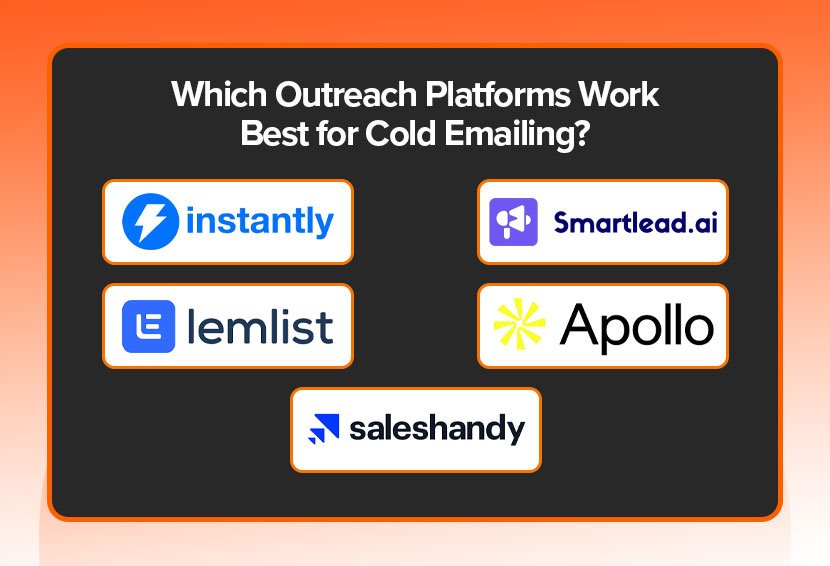
- Instantly: Best for volume and scaling. Unlimited mailboxes on flat-rate pricing.
- Smartlead: Built for agencies managing multiple client accounts.
- Lemlist: Best for personalization. Let’s you add custom images and video thumbnails.
- Apollo: Best if you also need a built-in lead database. Covers 275M+ contacts.
- Saleshandy: A solid budget option if you’re just getting started.
Follow-Up Emails: How Many Is Too Many?
42% of all replies in a cold email campaign come from follow-ups. That stat alone should tell you follow-ups aren’t optional. The sweet spot is 3 to 5 follow-ups. After that, your spam and unsubscribe risk triples, according to Prospeo’s analysis of 16.5 million emails.
A timing sequence that works: Day 1, Day 3, Day 7, Day 14, Day 21. Space them out. Give the person room to respond. Each follow-up should earn its place. Don’t just bump the thread. Share something useful, a short insight, a client result, a question that shows you actually thought about their situation.
Conclusion
Cold email in 2026 is all about precision, not volume. Businesses that succeed focus on proper domain setup, strong targeting, and real cold email personalization instead of sending thousands of generic emails. A well-written, relevant message will always outperform mass outreach.
Consistency also matters. Many replies come from a strong follow up email cold email sequence, not the first message. By combining personalized outreach, smart follow-ups, and effective best cold email subject lines, cold emailing continues to be one of the most effective ways to generate B2B leads and conversations.